


NFL
2.4172.21K Reviews
App Specs
- Version
- Varies with Device
- Updated On
- License
- Free
- Downloads
- 100,000,000+
- Developer
- NFL Enterprises LLC
- Categories
- Sports
- Platform
- Android, iOS
Screenshots

 Analysis by AppCompare
Hey there, fellow app adventurers! So, I’ve been diving into the world of sports apps, and guess what? I stumbled upon the NFL app, and let me tell ya, it’s quite the catch. Whether you’re a die-hard fan or just getting into football, this app might just become your new best friend during the season.
For me, the most useful way to approach it is as a companion to watching or following football, not as a replacement for every other sports tool. It brings team-focused updates, game coverage, news, and video together, so I can check what matters without piecing the whole story together from several places. That breadth is helpful, but it also means the app can feel busy if all I want is a quick score.
Readability, team choice, and finding your way
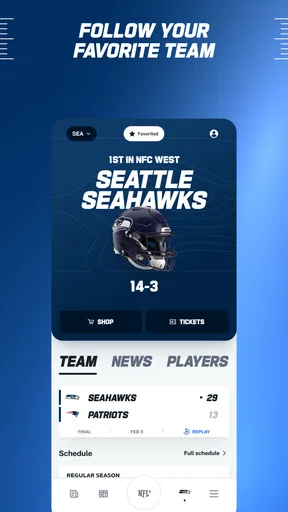
Personalizing around a favorite team is more than a cosmetic choice: it gives a new fan a practical starting point in a sport with many teams, players, and weekly storylines. I’d choose a team early, then use that focus to make news and notifications feel more relevant. If you follow several teams, it is worth checking whether the alerts you enable still leave room for the scores and updates you care about most.
Guides and Analysis on NFL
The app is from NFL Enterprises LLC, and it is a free sports app for everyone, though some in-app purchases range from $0.99 to $99.99 per item. That distinction matters when deciding what to expect: installing it does not mean every piece of content or experience is necessarily included at no cost. I’d start with the free parts and only consider a purchase if I knew exactly what I wanted to unlock.
First Impressions: Setting Up Camp
As soon as I fired up the NFL app, I was greeted with a sleek interface. It’s super intuitive, which means you won’t be fumbling around trying to find your way to the latest game scores. Setting up the app was a breeze—just a couple of taps and I was ready to roll. The app lets you personalize your experience by selecting your favorite team. I chose mine (Go Patriots!), and instantly, it felt like the app was tailored just for me.
In everyday use, I’d treat that team choice as a filter, not a reason to ignore the wider league. A quick check before a game can answer the basic question of what is happening with my team, while a later visit to the broader news and analysis can help me understand why a result matters. That separation keeps the app from turning every spare moment into an endless scroll through football coverage.
Game Day: Your Ultimate Companion
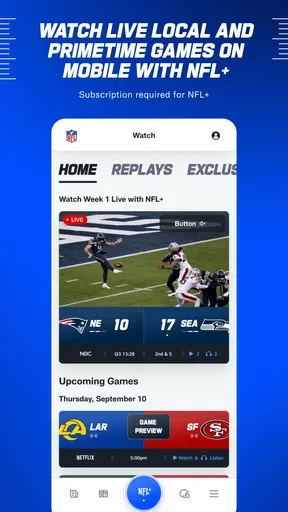
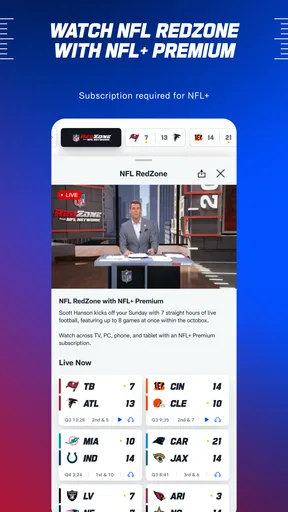
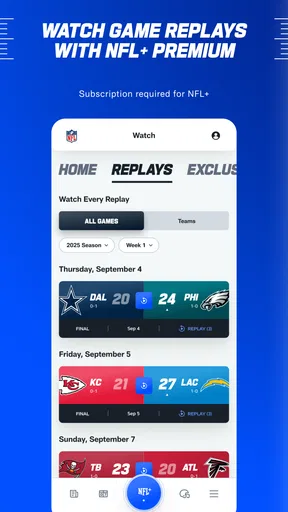
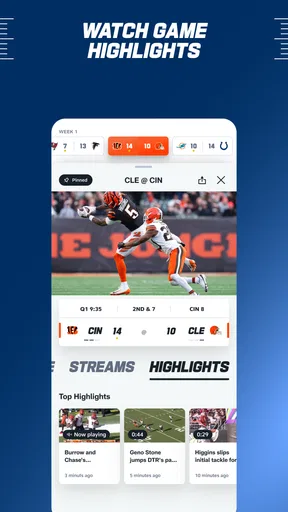
Alright, let’s talk about the real meat of the app—game day features. This app has got you covered with live score updates, play-by-play details, and even video highlights. I mean, who doesn’t want to relive that epic touchdown? And for those of us who can’t be glued to the TV, the app’s live radio broadcasts are a lifesaver.
Worth Reading Before You Choose

Baby Panda World Brings Quick Play to Modern Phones, but Its Game Library Feels Busy

ESPN’s Live Game View Makes Following Close Games Easier

QuizzLand Review: A Good Fit for Short Trivia Breaks, Not Every Player

Basketball Stars: Multiplayer Is Fast, but Can It Recover When Matches Go Wrong?

WEBTOON Turns Phone Updates Into a Better Reading Routine

Link to Windows Runs on Shared Habits, Not Social Feeds
A realistic use for me is checking a game while I’m away from the television: the score gives me the quick picture, play-by-play adds context, and radio can keep the action going when watching a screen is inconvenient. These options are not interchangeable. If I’m in a quiet place or need to keep sound off, text updates are the sensible choice; if I can listen but not watch, radio is more immersive; and if I have time and a suitable connection, highlights are better for seeing a key moment than reading its description.
One of my favorite parts? The push notifications. I know, I know, notifications can be annoying, but these are spot on. You can customize them to alert you about game start times, score changes, and even breaking news about your favorite team or players.
My practical tip is to be selective rather than enabling every alert at once. Game-start reminders can help me plan, while score changes are useful when I cannot follow the action continuously. Breaking news may be valuable to a devoted fan, but it can interrupt work or a busy evening. Choosing only the alerts that solve a real problem makes the phone feel like a helpful sports companion instead of another source of noise.
Motor and sensory considerations on busy days
Different ways of following a game can suit different circumstances and abilities: reading a score is less demanding than watching a clip, and listening can work when my hands are occupied. That flexibility is a genuine strength. It does not mean every part of the experience will suit every person, though. Video requires visual attention, radio depends on being able to hear the broadcast, and navigating through multiple sections can take more effort than checking a simple scoreboard.
If I’m using the app one-handed while commuting or carrying something, I’d keep the task short: open it for a score or a specific update, then leave longer reading for later. I would also avoid relying on a clip when I need to keep my attention on something else. These are small choices, but they make the app more usable in real life and reduce the frustration of trying to consume every type of coverage in every setting.
The Extras: More Than Just Scores
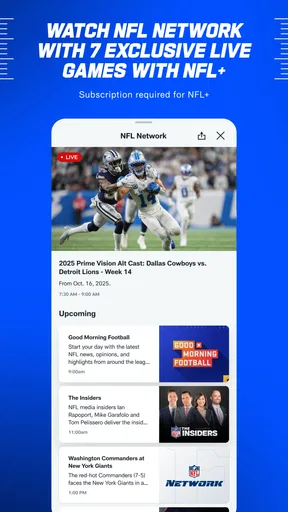
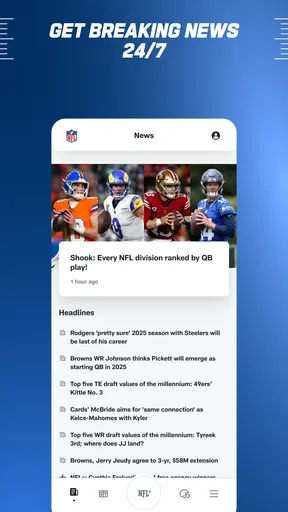
Now, let’s chat about some of the extra goodies the app offers. There’s a ton of content to dive into, like news articles and expert analysis. I spent a solid hour just reading up on player stats and draft picks. If you’re into fantasy football, the app integrates seamlessly, keeping you updated on your fantasy team’s performance. Oh, and don’t forget to check out the exclusive interviews and behind-the-scenes content. It’s like having a backstage pass to the NFL world.
This range makes the app especially appealing to fans who want to move from following a score to understanding the people and decisions behind it. Stats and analysis are useful when I want more context than a headline provides, while interviews offer a different kind of coverage from a game recap. Fantasy players have a reason to check in beyond kickoff, although someone who only wants a compact fantasy scoreboard may prefer a dedicated fantasy tool for that narrower task.
Compared with general sports apps, the main trade-off is focus. A broad sports app is usually more convenient if I follow several leagues and want one place for all of them; this one makes more sense when NFL coverage is the priority. Compared with a team-only news source, it offers a wider league view, but a supporter who wants only one club’s updates may find the extra league content unnecessary. I’d keep it for NFL depth and use another option when breadth across sports matters more.
Situational access: when the app fits and when it doesn’t
The NFL app is a good fit for a fan who wants updates during the season, follows players as well as a team, or needs more than a final score. It is also useful for someone learning the sport: play-by-play and analysis can make a game easier to follow than a stream of unfamiliar names and statistics. A casual viewer who checks in only occasionally can still use it, but may get more value by keeping notifications limited and treating articles and extras as optional.
It is less compelling if I want an uncluttered score-only experience, if I do not follow NFL football closely, or if I need a single app that gives equal attention to many sports. Nor would I rely on it as the only way to follow a game in a situation where I cannot look at a screen or listen. The best choice depends on the moment: text for discreet checks, audio when listening is practical, and a separate live viewing option when watching the full action is the priority.
Drawbacks: A Few Flags on the Play
Of course, no app is perfect. While the NFL app is pretty solid, I did notice a couple of hiccups. Sometimes, the video highlights take a bit longer to load, and I’ve encountered the occasional crash. But hey, a quick restart usually fixes things right up. Also, some features are locked behind a subscription, which might be a bummer if you’re looking for everything to be free.
Those snags matter most when timing matters. If I open a highlight to catch up quickly and it takes time to load, the supposedly fast option can become less convenient than reading the play-by-play. An occasional crash also makes me cautious about depending on the app as my sole source of information during a close game. I’d keep expectations flexible: use another straightforward way to check a score if the app is not behaving, and return to the richer content when it is working smoothly.
Its audience figures suggest it is a familiar choice among football fans, with over 100 million installs, an average rating of 2.6 from around 644,000 ratings, and about 172,000 written reviews. I would not treat popularity as proof that it will suit me. The rating is a useful reminder to judge it by my own needs, particularly if reliability, a calm interface, or access to particular content matters more to me than having many types of NFL coverage in one place.
Remaining barriers and a fair way to try it
For a low-risk first try, I’d install it, select a team, and use it through one ordinary game day before changing many settings. That makes it easier to see whether the score updates, audio, articles, and video are actually useful in my routine. I’d then turn off any alerts that feel distracting and avoid paying for anything until I have a clear reason to want it. The app is free to download, carries an Everyone content rating, and runs on Android from version 9, so it is intended for a broad audience while still requiring a compatible device.
The key question is not simply whether it has plenty to explore; it is whether those options make following football easier for me. A person who mainly wants a quick score can keep the experience brief. A fan who enjoys analysis and league-wide stories can spend longer with it. Someone who finds dense sports coverage tiring should use the team focus and selected alerts to reduce the amount competing for attention, while remembering that this does not remove every navigation or media barrier.
Final Thoughts: Should You Download?
So, is the NFL app worth the download? In my book, absolutely. If you’re a football junkie or just someone who likes to stay updated on the latest sports news, this app is a must-have. It’s packed with features, keeps you in the loop, and adds a whole new layer to your football-watching experience.
My recommendation is strongest for people who want NFL-specific coverage and will use more than one part of it: scores, updates, audio, analysis, or fantasy information. If all you need is a fast glance at a score, a lighter sports scoreboard may be more comfortable. If you want a broad mix of leagues, a general sports app may serve you better. For me, the value comes from choosing the parts that fit the moment rather than expecting every feature to be essential.
Whether you’re tracking your fantasy league, catching up on game highlights, or just need to know when your team’s next big game is, the NFL app has got your back. So, go ahead, give it a download and dive into the world of football like never before!
An inclusive verdict for the season
Released on September 25, 2010, this long-running sports app has a clear purpose: help NFL fans stay connected to teams and games. I like that it offers several ways to keep up rather than forcing every user toward video. That choice can make a difference for people who are busy, who prefer listening, or who simply want a short text update. At the same time, no single presentation works equally well in every setting, and the app’s media and navigation can still be inconvenient for some users.
I’d recommend giving it a try if NFL coverage is part of your routine, then shaping the experience around your attention, device, and listening or viewing circumstances. Keep the alerts focused, use text or audio when video is not practical, and treat purchases as optional decisions rather than a requirement to get started. For fans who want one place to move between game updates and deeper league coverage, it is a useful choice; for people who need only a bare score or coverage across many sports, a simpler or broader alternative may be the more inclusive fit.
Pros
- Intuitive user interface for easy navigation.
- Live game streaming with minimal latency.
- Comprehensive stats and player info.
- Customizable alerts for team updates.
- Exclusive content and interviews available.
Cons
- Requires a stable internet connection.
- Some features are locked behind a paywall.
- Occasional ads can disrupt experience.
- App size might be large for some devices.
- Limited support for older operating systems.
FAQs for NFL
What features does the NFL app offer for fans?
The NFL app provides live streaming of games, real-time scores, news updates, and highlights. Fans can also access personalized content based on their favorite teams, detailed player statistics, and exclusive NFL Network programming. Additionally, the app offers in-game alerts and customizable notifications to ensure you never miss a key play.
Is the NFL app free to download and use?
Yes, the NFL app is free to download on both Android and iOS devices. However, certain features, such as live game streaming, may require a subscription or login through a participating TV provider. Free content includes scores, highlights, and some news articles, but premium access unlocks more comprehensive features.
Does the NFL app support multiple devices and platforms?
The NFL app is compatible with a wide range of devices, including smartphones, tablets, and streaming platforms like Roku and Apple TV. Users can seamlessly switch between devices, ensuring a consistent experience. Additionally, the app supports both Android and iOS operating systems, making it accessible to a broad audience.
Can I watch live games on the NFL app if I'm outside the US?
Watching live games on the NFL app outside the US may be restricted due to regional broadcasting rights. However, the app does offer NFL Game Pass, which allows international users to access live games and replays. Availability and features can vary by location, so it's advisable to check local offerings.
How does the NFL app personalize the user experience?
The NFL app personalizes your experience by allowing users to select their favorite teams and players. This customization leads to tailored news, alerts, and content recommendations. The app also analyzes your interactions to provide a more engaging experience, ensuring you receive updates and highlights that match your preferences.


